



Blog / MILFORD Chevrolet Dealer

Blog

All MILFORD Chevrolet Dealer
Chevy

Chevy Lease Return Choices for Drivers Finishing a Contract

Make Your Chevy Lease-End Choices in Connecticut Work in Your Favor A Chevy lease-end return in Connecticut does not have to be stressful or confusing. When your lease is almost up, you actually have choices, and a little planning can help you save money and avoid last-minute headaches. Many drivers in Connecticut find that lease terms end in the middle of the year, when life is already busy with trips, projects, and family plans. If you start thinking about your Chevy lease return a few months before the end date, you give yourself time to look at every path, not just turning in the keys and walking away. You can return your current Chevy, buy it and keep driving, or switch into another model that fits your life better. This guide focuses specifically on lease-end decisions and timing for Chevy drivers in Connecticut so you can feel confident when the time comes. Understanding Your Connecticut Lease-End Timeline and Inspection Your lease-end timeline usually starts about 60 to 90 days before your final date. This is a great window to get organized and see what your return might look like under Connecticut conditions and schedules. Here is what most drivers do during that period: Check the lease contract for the official end date and mileage limit Schedule a pre-return inspection through the leasing company Review mileage and look over the car for any clear damage Start thinking about what to drive next During the inspection, the inspector will look at things like: Tire tread depth and even wear Cracks or chips in the windshield and windows Dings, dents, and scrapes on the body Stains, tears, or burns in the seats and carpet Aftermarket parts or changes that were added during the lease Some small problems are easy to fix ahead of time. Light interior cleaning, simple stain removal, or replacing a worn wiper blade can often be handled without a big hassle. For bigger issues like body damage or cracked glass, it can sometimes be better to wait and let the leasing company charge its standard fee. Since every situation is different, it helps to talk through the options before you spend money on repairs. Core Choices for Chevy Lease-End Drivers in Connecticut Once you get close to the end of your lease, you usually have three main choices: Return the vehicle and walk away Buy out the lease and keep the Chevy Lease or purchase a different Chevy Returning the vehicle can make sense if you are at or under your mileage limit, the car has normal wear, and you are ready for a change. If your life has shifted and you now need something bigger or smaller, this option gives you a fresh start. Buying out the lease may be smart if your Chevy has low miles, is in great shape, and you really like it. You know its history, how it drives, and how it has been serviced. Keeping a vehicle you trust can feel better than starting over. Leasing or buying a different Chevy is a strong choice when your needs have changed. Maybe you have a longer commute, a new driver in the family, or more weekend trips. Your lease return can be a chance to match your next vehicle to your current budget and lifestyle in Connecticut, instead of the way things were a few years ago. How to Return Your Chevy Smoothly in Connecticut If you decide to return your Chevy at the end of the lease, a clear plan keeps the process simple. At the return visit, you can expect several quick steps: Review of your inspection results and any noted wear Final odometer reading to confirm mileage Collection of keys, manuals, and accessories that came with the vehicle Handling of license plates, based on Connecticut rules Signing final lease-end paperwork There can be end-of-lease charges, such as a disposition fee, excess mileage charges if you are over your limit, and fees for wear that goes beyond normal use. When you plan ahead, these items are less of a surprise. Tracking your mileage early, taking care of obvious issues, and understanding your contract before the last week goes a long way. Timing matters too. Many drivers like to line up the return with the day they receive their next vehicle, so they are never without transportation. Others plan around travel or school schedules, so they are not trying to juggle a return in the middle of a busy week. Upgrading Into a New Chevy or Buying the One You Have If you are ready for something new, rolling into a fresh Chevy lease can feel like a nice reset. A newer model often gives you updated tech, safety features, and comfort. You may also see better fuel efficiency than older vehicles, which can help with longer drives around Connecticut and beyond. Leasing again can make sense when you: Like driving a newer vehicle every few years Prefer lower payments compared with many finance plans Are comfortable staying within a mileage limit Do not want to worry about long-term wear Financing a new Chevy after your lease is different. With a purchase, you work toward full ownership over time, and you are free from yearly mileage caps. This can be a better fit if you drive a lot, want to build equity, or plan to keep the vehicle for a longer stretch. Warmer months in Connecticut are a popular time to test-drive models like the Equinox, Silverado, or Traverse. The roads are typically clearer, the days are longer, and it is easier to picture how a certain model will feel for daily drives, weekend errands, and family trips. Buying Out Your Lease and Avoiding Surprises at Lease-End If you are interested in keeping your current Chevy, the first step is to find your lease buyout price. This number is usually listed in your lease contract as the purchase option amount. Many drivers compare that number to current values for similar Chevy models with close mileage and condition. A lease buyout can have some clear benefits: You already know the full maintenance and driving history You avoid turn-in fees that might apply at the end of a lease You stay in a familiar vehicle that fits your parking, garage, or daily routes Financing a lease buyout works differently from a lease. Instead of paying to use the car for a set term, your payments go toward owning it outright. The payment amount, length of the loan, and other terms will not match your old lease, so it helps to see what feels comfortable for your budget. No matter which path you choose, the biggest lease return surprises usually come from waiting too long, ignoring small damage, or not tracking miles. If you keep an eye on your mileage every few months, skim your lease details early, and get a no-pressure look at your vehicle condition before the final month, the end of your Chevy lease in Connecticut can be simple, clear, and on your terms. Maximize Your Options Before Your Lease Ends If your lease is coming to an end, we are here to help you understand your choices and make your next move with confidence. Start by exploring your buying power with our Chevy lease return tool so you can see what fits your budget and lifestyle. Our team at Chevrolet of Milford can walk you through returning your vehicle, buying it out, or upgrading to a new model. If you have questions or prefer to talk it through, simply contact us and we will guide you step by step.

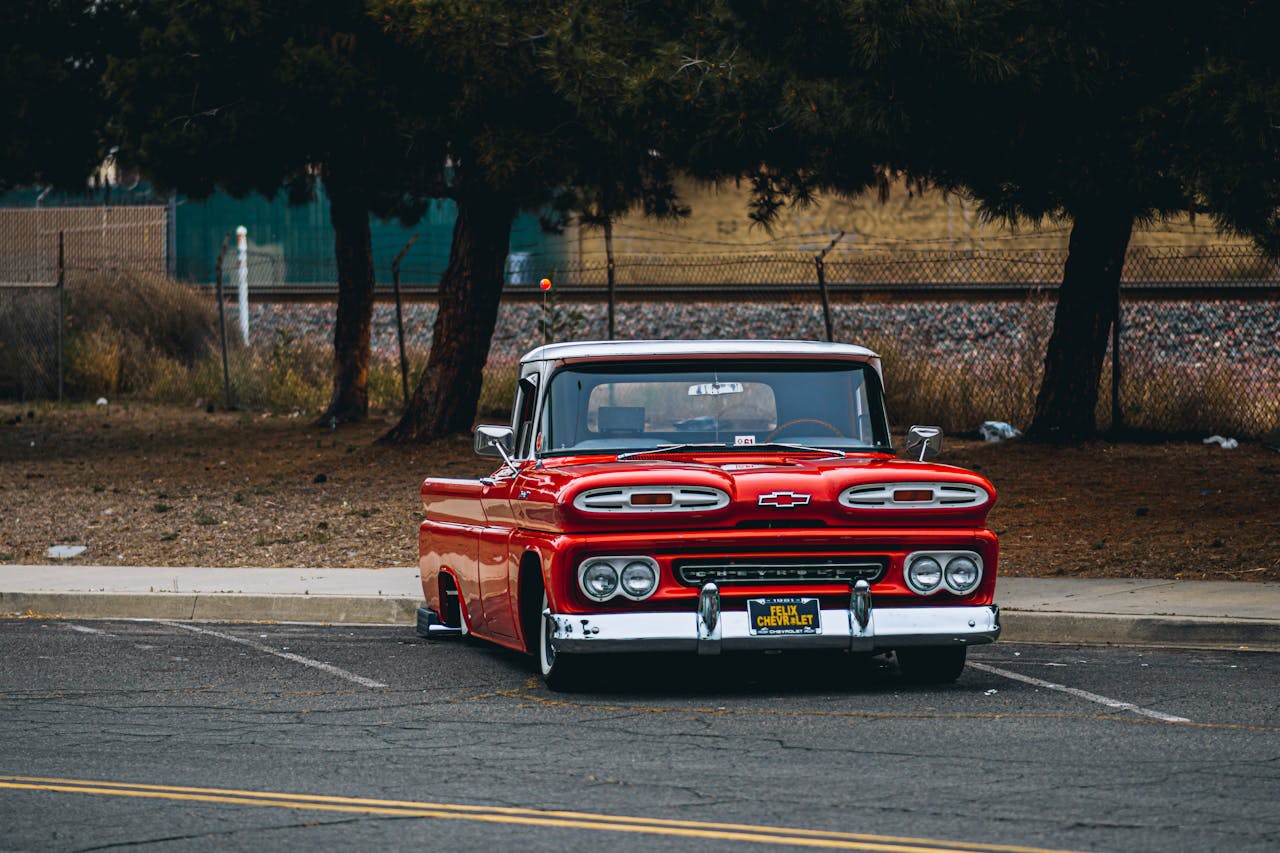
Chevy Truck

Ordering a Custom Chevy Truck for Work and Weekend Adventures

Build a Chevrolet Truck That Works Hard and Plays Harder A truck has to earn its keep during the week and still be fun when the weekend rolls around. Many drivers in Connecticut need something that can pull a trailer to a job site, haul materials, then head to the shore, the mountains, or the trails without missing a beat. That is where ordering a custom Chevrolet truck really shines. When you order a Chevrolet truck, you are not stuck with a one-size-fits-all setup. You can match towing, payload, tech, comfort, and style to exactly how you live and work. From heavy tools and supplies to kayaks and camping gear, a custom build lets you plan for it all. Drivers across Milford, New Haven County, and Fairfield County can work with a local team that understands busy summers, unpredictable weather, and year-round demands on a truck. Why Now Is the Perfect Time to Order a Chevrolet Truck Ordering ahead is smart if you want a truck ready when you actually need it. Early summer is a great time to plan a build so your custom Chevrolet is in your driveway for late-summer road trips, long weekends, and fall projects that pop up as the weather cools. When you order a Chevrolet truck, you are not limited to what happens to be parked on the lot that day. Popular trims, colors, and packages can move quickly, which sometimes means settling for something close but not quite right. A factory order gives you more control so you can choose: Exact model and trim Preferred color and interior Must-have packages and options Bed and cab setup that fits your work Ordering also gives you time to think through your budget. You can plan ahead for financing, ask questions about current incentives, and review trade-in options without rushing. That slower pace makes it easier to build a truck that fits both your needs and your comfort zone. Choosing the Right Chevrolet Truck for Your Workday The right work truck starts with the right base model. Chevrolet offers several strong options, each suited to different kinds of jobs and payload needs. For many contractors, tradespeople, and small business owners, the Silverado 1500 is a great all-around choice. It offers strong towing and payload for tools, supplies, and small equipment, without feeling too big for city streets or tight parking lots. Drivers who handle heavier loads, like larger trailers or equipment, often look to Silverado HD models for their extra strength. For those who want a smaller footprint but still need a useful bed, the Colorado can be a smart middle ground. Key work choices to think about include: Regular, Double, or Crew Cab, based on how many people you need to seat Short, standard, or long bed, depending on the size of your gear Two-wheel drive or four-wheel drive, based on your job sites and driving routes From local jobs in Milford to longer runs across Connecticut, the right setup can save time and effort. When you order a Chevrolet truck, it is easier to add work-focused features such as: Trailering packages and towing tech Spray-in or drop-in bed liners Storage solutions for tools and parts Safety and driver-assist tech for busy roads These details turn a basic truck into a true work partner that matches how you earn a living. Weekend-Ready Upgrades for Summer and Beyond Once your work needs are covered, it is time to think about how you want to use your truck when you are off the clock. Many drivers want something that feels just as ready for a campsite or beach day as it does for a weekday haul. Off-road and adventure-friendly options can include: Z71 or Trail Boss-style off-road packages All-terrain tires for dirt, gravel, and snow Advanced 4x4 systems for rougher roads and bad weather Skid plates and other protective add-ons Comfort and convenience matter too, especially with family or friends in the cab. Features that make weekends better can include: Premium seating and quiet cabins for long drives Smart connectivity for maps, playlists, and calls Towing tech to help with boats, campers, and small trailers Bed accessories like cargo tie-downs and covers for beach gear or camping setups Since New England weather can change fast, it also helps to think about year-round comfort. Heated seats, a heated steering wheel, remote start, and all-weather floor protection can make winter mornings easier and keep your truck feeling fresh through snow, rain, sand, and mud. Designing Your Custom Chevrolet Truck Step by Step Ordering does not have to feel complicated. The process usually starts with a simple conversation about how you use your truck during the week and what you like to do on weekends. Here is a basic flow many drivers follow: Start with a consultation to talk through needs and wish-list items Choose your model and trim based on towing, payload, and comfort Pick drivetrain, cab style, and bed length that match your daily routes Add packages for work, off-road use, or family comfort Select colors, interior finishes, and smaller options Dealership team members help translate real-world needs like how much you tow, how far you commute, and which hobbies you enjoy into the right engine, suspension, and tech mix. After you place your order, you are kept up to date on build and delivery timing so you can plan around work schedules, trips, or seasonal projects. How Chevrolet of Milford Makes Ordering Easy Before placing an order, it often helps to sit in a few different trucks and take some test drives. Local inventory gives you a chance to feel how each model rides, how the cab fits your crew, and how the bed size lines up with your daily gear. That hands-on time makes customizing the final build much clearer. Financing support on-site can also smooth out the process. Whether you are buying for personal use or for a small business, you can walk through different options, ask about leasing, and discuss how a work truck might fit into your overall plans. For business owners, it can be helpful to talk with a tax professional about possible advantages tied to work vehicles. After your custom truck arrives, the relationship does not stop. Chevrolet of Milford offers: Certified Chevrolet service to keep your truck in top shape Genuine parts that fit and perform correctly Accessories to update your truck as work demands or hobbies change When you know you have local support for maintenance, repairs, and upgrades, ordering a custom build feels even more worthwhile. Reserve Your Ideal Chevy Truck Without Leaving Home Experience how convenient it can be to order a Chevy truck with Chevrolet of Milford using our simple Shop Click Drive process. Choose your model, configure the features that matter most, and upload any necessary documents in just a few minutes. If you have questions at any point or prefer to speak with a team member, please contact us so we can help you move forward confidently.

Chevy

Comparing Chevy Infotainment and Apple CarPlay for Daily Driving

Tech That Makes Every Commute Easier: Chevrolet Infotainment vs. Apple CarPlay Good in-car tech can turn a stressful drive into a smoother part of your day. When you are juggling work, school drop-offs, errands around Milford, and tight traffic on I-95, the way your Chevy handles music, maps, and messages really matters. The right system keeps you informed, helps you stay on time, and lets you keep your hands on the wheel and eyes on the road. In a Chevy, you usually have two powerful tools working together: the built-in Chevy Infotainment system and Apple CarPlay for those who use an iPhone. Both can handle music, calls, and navigation, but they do it in different ways. This article focuses specifically on how each one helps with everyday commuting and regular weekly driving around Milford, so you can figure out what works best for you. How Chevy Infotainment Simplifies Daily Driving Chevy Infotainment is the factory system built right into the dash. It is designed to feel like a natural part of the vehicle from day one. You get a touchscreen, steering wheel controls, and voice commands that tie into the rest of the car. Some helpful things Chevy Infotainment can do include: Show you fuel range and tire pressure Connect with driver assistance alerts and your backup camera Give quick access to climate and seat settings Let you adjust vehicle settings and save driver profiles For daily driving, this means fewer steps to get comfortable. Need the AC set cooler on a humid Milford morning? You can adjust it right on the main screen or with simple buttons. Want to change radio stations, switch between AM, FM, or available SiriusXM, or pull up built-in navigation in models that have it? It is all right there in one place, laid out for quick taps or voice prompts. Families often like features such as teen driver settings and individual profiles. Multiple drivers can: Save seat and mirror positions Keep preferred radio stations and audio settings Maintain their own navigation favorites For summer day trips to local beaches or drives up and down the shoreline, having built-in navigation ready to go can be handy, especially if your phone battery is low or reception is spotty. You can set your route, adjust the cabin temperature, and check vehicle info all from the same system, which keeps everything simple and consistent. Why Apple CarPlay in a Chevy Feels Instantly Familiar Apple CarPlay takes the apps you already use on your iPhone and brings them onto the vehicle’s screen. If you are comfortable with your phone, CarPlay will feel natural after only a few minutes. With CarPlay, you can use: Apple Maps, Google Maps, or Waze for turn-by-turn directions Apple Music, Spotify, and other audio apps for playlists and podcasts Messages and Phone for calls and texts with Siri reading and replying for you The big advantage is that it feels like your iPhone, just safer for driving. Your contacts, calendar, and recent locations come along for the ride. If you used Apple Maps earlier that day to find a new office or school, that address often shows up as a suggested destination when you plug in or connect with CarPlay. On a daily commute, this means you can: Ask Siri to send a quick text without taking your hands off the wheel Pull up your last route or favorite coffee stop Turn on your favorite driving playlist or podcast with one quick tap For drivers dealing with I-95 traffic or local road delays near Milford, live traffic data from your map app can help you pick a better route or avoid sudden backups. It is all presented in a familiar layout, which can be very comforting if you already use an iPhone for almost everything. Head-to-Head for Commuters and Weekend Road Trips When you compare Chevy Infotainment and Apple CarPlay in a Chevy for everyday use, it helps to look at a few key areas. For navigation: Chevy built-in navigation (when equipped) is ready even if your phone is off, and it ties into the vehicle display and driver info screens. CarPlay map apps bring in frequent updates, live traffic, and road closure alerts that can be useful during construction season or summer detours. For media and communication: Chevy Infotainment shines for quick access to radio, available SiriusXM channels, and traditional Bluetooth audio. CarPlay stands out for custom playlists, podcasts, and easy group texts, all with your familiar contacts and apps. User experience can feel different depending on who is driving. Tech-savvy drivers might enjoy CarPlay’s app-based layout and the constant updates from their phone. Multi-driver families may like how the Chevy system lets each person save a profile, then layer CarPlay on top when they plug in. Older drivers, or those who prefer fewer options on screen, sometimes lean toward the simpler built-in menus and basic voice commands. Screen layout and responsiveness are designed for daily stop-and-go driving in both cases. The Chevy system is tuned for the vehicle, while CarPlay is tuned for your iPhone habits. The right mix often comes down to which one you open first when you start the car. Safety, Distraction, and Integration with Your Chevy Both systems are built with safety in mind, but they do it in different ways. Chevy Infotainment is directly tied into the vehicle, so it connects closely with: Steering wheel controls for volume and track changes Backup camera views and parking guidelines Driver assistance alerts that can pop up on the main screen Apple CarPlay focuses on safer phone use while driving. Siri lets you speak text messages and calls instead of pressing buttons. Audio apps are simplified for the road, with large icons and limited options so you are not scrolling through long menus. Any screen in the car can become a distraction if there are too many alerts. To help with that, you can: Turn on Do Not Disturb or Focus modes on your iPhone while driving Limit which apps show notifications through CarPlay Keep your home screen simple with only the apps you actually use on the road Using voice commands and steering wheel buttons whenever possible keeps your hands where they belong and cuts down on time spent looking away from traffic, especially on longer drives or in busy summer vacation traffic. Choosing Your Ideal Setup at Chevrolet of Milford Most drivers do not have to pick only one system. The best setup often uses both, letting Chevy Infotainment handle key vehicle functions and CarPlay handle phone-based tasks. You might find that: For short local trips, the Chevy system alone is plenty for radio, climate, and quick map checks. For longer drives or new places, you prefer CarPlay maps and playlists. For shared vehicles, driver profiles in the Chevy system keep things organized, while each driver still uses their own CarPlay apps. Think about your normal week: school runs, work commutes, weekend errands, and longer trips. Consider where you rely on your phone the most and where you prefer simple, built-in controls that always work the same way. At Chevrolet of Milford, the team sees a wide range of drivers from across the area, and everyone uses their tech a bit differently. Taking time to explore both Chevy Infotainment and Apple CarPlay in a Chevy during a test drive, with your own iPhone connected, can help you see which features fit your daily life and make every drive feel easier and more relaxed. Experience Seamless Connectivity On Every Drive Ready to see how effortlessly your favorite apps, music, and navigation can integrate into your daily commute with Apple CarPlay in a Chevy? At Chevrolet of Milford, we can walk you through compatible models, trim options, and tech features that fit your lifestyle. If you have questions or want to schedule a test drive, simply contact us and we will help you get started.

Chevy Truck

Should You Order a Chevy Truck or Buy From Inventory?

How to Decide If Ordering a Chevy Truck Is Right for You Choosing your next truck is a big deal, and one of the first questions many shoppers ask is simple: should you order a Chevy truck or buy one from inventory already on the lot? Both paths can work well, but they fit different needs and timelines. Drivers across Milford and all over Connecticut usually care about the same things: how fast they can get the truck, how much they can customize, what kind of offers are available, and how their trade-in fits in. This guide walks through clear questions to help you match your buying style, budget, and everyday driving needs with the path that feels right for you, whether that means a custom order or an in-stock Silverado or Colorado you can take home right away. Do You Want a Custom-Built Truck or a Faster Purchase? The biggest difference between ordering a Chevy truck and buying from inventory is simple: choice versus speed. Ordering gives you the most control over how your truck is built. Buying from inventory lets you get the keys much faster. When you order a Chevy truck, you typically get to choose details like: Cab and bed setup, like crew cab or double cab, short bed or standard bed Drivetrain, such as 4x2 or 4x4 for extra traction Trailering and towing packages that match what you haul Off-road packages for dirt roads, job sites, or weekend adventures Interior comfort choices like seat trim, storage, and convenience features Technology options like driver-assistance features and infotainment choices If you love the idea of getting the exact color, engine, and package mix you want, ordering can feel really satisfying. You are building the truck around your life instead of working with what is already parked on the lot. On the other hand, there are times when a fast purchase matters more. Maybe you want a truck ready for summer towing, family trips, beach runs to the shore, or a big move. In that case, an in-stock truck can make more sense. You can look at a few different trims, pick the one that fits you best, complete your paperwork, and drive home in the same day in many situations. How Flexible Is Your Timeline and Daily Driving Needs? Your schedule and daily life play a big part in whether you should order a Chevy truck or buy from inventory. Ordering usually means waiting for the truck to be built and delivered to the dealership. Exact timing can vary, so it is smart to plan on some weeks of lead time. Buying from stock is usually much quicker and works well if you need a truck soon. Ask yourself a few simple questions: Is your current vehicle reliable enough to keep driving while you wait? Do you have work projects, towing needs, or trips coming up soon? Are you close to the end of a lease or current loan? Would a delay put pressure on your schedule or budget? If your current ride is on its last legs, has trouble starting, or spends a lot of time in the shop, waiting for a factory order might feel stressful. In that case, a truck from inventory can give you peace of mind right away. There are also middle-ground options. If you are leaning toward ordering, you can test-drive similar trucks in stock to make sure the cab size, engine power, and ride feel right. That way, you are not guessing about how your ordered truck will drive. If your schedule allows it, you can keep your current vehicle a bit longer while you wait for the custom build to arrive. Which Option Fits Your Budget, Incentives, and Trade-In? Budget plays a big part in any truck decision. When you order a Chevy truck, you are picking features and packages that affect the final price. When you buy from inventory, the truck already has a set mix of options, and you can see how that fits your budget right away. In-stock trucks may qualify for current rebates and dealer offers at the time you buy. Those programs can change over time, so some shoppers like the idea of choosing a truck that is already on the lot, then pairing it with available incentives right now. Other buyers focus more on getting the exact build they want, even if that means waiting to see what offers apply when the ordered truck arrives. Trade-in timing is another key piece. If your current vehicle is holding good value right now, you might want to lock that in with a purchase from inventory. Waiting for a factory order means you will trade in later, and the condition and value of your current vehicle can change over that time. You can also talk with a finance team about: Current programs that may favor ordering versus buying from stock How your credit, down payment, and trade-in work together Whether seasonal offers line up better with an in-stock purchase The right choice here depends on how flexible your budget is and how important it is to secure your trade-in value sooner rather than later. How Important Are Test Drives and Seeing the Truck in Person? For some people, the deciding factor is simple: they want to sit in the actual truck they are buying before they sign anything. If that sounds like you, buying from inventory might feel more comfortable. You can see the exact color in real light, fold the rear seats, check storage, and take that specific truck for a test drive. When you order a Chevy truck, there is a bit more imagination involved. You choose your trim, color, wheels, and packages from lists, photos, and feature descriptions. You know what you are getting on paper, but you will not see your exact truck until it arrives. There are good ways to bridge that gap when ordering: Test-drive a similar trim or engine that is in stock Sit in different cab and bed combinations to be sure of space Try out similar tech features like camera views and infotainment layouts Some buyers enjoy the wait that comes with a custom order. There is a special feeling when a truck shows up built to your choices. Others want that instant confidence of saying, "This exact truck is mine," and driving it home that same day. Get Personalized Help Choosing Your Chevy Truck Path In the end, there is no one right answer for every driver. Start by listing your top priorities. Think about: How soon you truly need your next truck Which features are must-haves and which are nice-to-have How you plan to use the truck, like towing, commuting, or family trips How important your trade-in timing and current offers are to you When you bring that list to the team at Chevrolet of Milford, it becomes much easier to see whether you should order a Chevy truck or choose one from inventory. You can compare real trucks on the lot with a custom order quote, test-drive different trims, and talk through how each option fits your schedule and your budget. With a clear plan, you can feel good about whichever path you choose and enjoy your next Chevy truck around Milford and across Connecticut. Get Your New Chevy Truck On Your Terms Ready to bring home a truck that fits your work, adventures, and budget? With Chevrolet of Milford, you can browse models, pick your options, and Order a Chevy truck online at your convenience. If you have questions about trims, financing, or availability, just contact us and our team will walk you through every step.

Chevy

Question-Based Chevy Test Drives That Reveal Hidden Issues

Turn A Chevy Test Drive Into Your Best Inspection Tool in Milford A quick spin around the block is not enough to know if a Chevy is right for you. Many problems only show up when you ask the right questions, try real-world situations, and pay attention to the small things that often get skipped. When you turn your Chevy test drive into a smart inspection tailored to driving in and around Milford and greater Connecticut, you spot hidden issues with comfort, safety, tech, and performance before you sign anything. By asking clear questions during and after the drive, you can tell the difference between a nice first impression and a Chevy that will actually fit your life here in Connecticut, from I-95 commutes to winter roads. At our dealership in Milford, we see how much more confident shoppers feel when they test with a plan instead of just driving in circles. A thoughtful test drive only takes a little more time, but it can save you from daily annoyances that would bother you for years. Smart Pre-Drive Questions That Shape Your Chevy Choice in Connecticut Before you even start the engine, talk with your salesperson about how you really drive in Milford and the surrounding areas. That sets up a test drive that focuses on what matters most to you. Good questions to ask before your Chevy test drive include: How far is my daily commute, and is it mostly highway (like I-95 or Route 15) or local streets? Do I need room for kids, pets, or coworkers on a regular basis? Will I be towing, carrying tools, or loading bulky gear for work or weekend projects? How often do I drive in snow, ice, or heavy rain around Connecticut? If you spend a lot of time on I-95, you might want to focus on fuel economy, seat comfort, and lane-change confidence. If your weekends include trips to the shore or the mountains, it makes sense to test towing and passing power on ramps and hills. Ask your salesperson to explain, in simple terms: Differences between trim levels and which features are actually useful for you Engine options and how they affect power, fuel use, and towing ability Key safety features like automatic braking, lane assist, and blind spot alerts For used Chevys, request to see the vehicle history report and ask about past service. You can also ask how warranty coverage works and what benefits you get from a certified pre-owned Chevy, so you know what is protected over time. Hidden Comfort Issues to Uncover Before You Buy in Milford Comfort problems are the kind of thing you rarely notice in the first five minutes, but they can bother you every single day. While you drive, keep asking yourself simple questions and do not rush your answers. Check seat comfort by asking: Can I find a driving position where my back, legs, and arms all feel supported? Do I feel any pressure points after 10 to 15 minutes behind the wheel? Is it easy to see the road without hunching or stretching? Think about cabin noise. On a highway stretch, ask: Is the road noise too loud for a normal conversation or hands-free call? If you have kids or carpool riders, that can make a big difference. Since many people test drive in warm weather, do some quick seasonal checks that matter in Connecticut: Does the AC cool the cabin quickly and evenly during hot, humid days? Are ventilated seats, if equipped, noticeable enough to matter? Is there annoying glare on the center screen or gauge cluster in direct sun? Can you read the display clearly with sunglasses on? Do not forget rear-seat comfort and cargo space. Get in the back seat yourself. Ask: Is there enough legroom and headroom for adults or growing kids? Are the seats easy to fold, and do they fold flat enough for strollers, sports bags, or work equipment? Try loading a few real items from your day if you have them with you. Performance And Safety Questions Most Drivers Forget around Connecticut Performance is more than zero-to-60. It is about how the Chevy feels in the same kind of driving you do every week in Milford and beyond. While you are on the road, pay attention and ask yourself what feels natural and what feels off. For acceleration and braking, ask: Does the Chevy respond quickly when I press the gas to merge onto the highway? Does it feel strong enough when passing slower traffic? Are the brakes smooth, with no pulling, shaking, or squeaking? Notice how the transmission behaves. On hills or ramps near Milford, see if it shifts smoothly or feels like it is hunting for gears. Try a few different speeds so you get a clear sense of how it behaves in real traffic. Safety features matter, but they also need to feel right for you. While testing driver-assist systems, ask: Does Lane-Keep Assist Gently Guide Me, or Feel Too Strong? Are alerts for forward collision warning easy to hear and see, but not annoying? Do the blind spot monitors cover the areas I expect when changing lanes? If the Chevy has different drive modes or all-wheel drive, test them. See how the steering, throttle, and braking feel in each mode. Try a quick but safe stop to understand how the vehicle behaves during an emergency-style brake, always following road rules and staying safe. Tech, Connectivity, and Fleet Questions That Reveal Long-Term Value Modern Chevys come with a lot of tech, but that tech only helps if it is easy to use. Do not be shy about taking a few extra minutes in the parking lot to push buttons and test features. For infotainment and connectivity, try: Pairing your phone with Apple CarPlay or Android Auto Making a hands-free call, sending a text by voice, and starting your favorite music app Checking how clear the backup camera and any surround views look in bright light Ask yourself: Are the menus easy to understand? Are the physical buttons and knobs, if equipped, simple to reach without taking your eyes off the road for long? Look at driver-assistance settings and navigation too. Ask your salesperson: Can I adjust how sensitive the alerts are? How do updates for maps and software work? Are there features that help with long trips, like adaptive cruise control? If you are shopping for a work truck or fleet vehicle, you may have extra questions. For example, you can ask how the Chevy can work with: Commercial upfits like ladder racks or storage units Telematics systems that help you track vehicle use and service needs Service scheduling support through the commercial and fleet department These questions help you see not just how the Chevy drives today, but how it will fit into your business or daily life over the long term. Turn Test-Drive Questions Into a Confident Chevy Decision in Milford When you treat your Chevy test drive like a guided inspection instead of a quick cruise, you learn a lot more than whether you like the color. You uncover hidden comfort issues, spot performance quirks, test safety features in real situations, and see how the tech feels in your hands. We encourage shoppers to bring a simple checklist of their top questions and must-have features. Test more than one Chevy model or trim, and write down quick notes right after each drive, while everything is still fresh in your mind. At Chevrolet of Milford, our team is happy to help you build a route that feels like your real life, from local streets to highway ramps, and to answer detailed questions as you go. A thoughtful, question-based test drive turns guesswork into confidence, so you can choose your next Chevy with a clear mind and fewer surprises later. Experience Your Ideal Chevy On The Road Today Discover how the features you’ve read about feel in real life by scheduling a Chevy test drive with our team at Chevrolet of Milford. We’ll help you choose the right model, walk you through key options, and answer your questions so you can make a confident decision. If you prefer to talk details or confirm availability first, simply contact us and we’ll help you plan your visit.

Chevy

Comparing Chevy Maintenance Plans with Pay-as-You-Go Service

Drive Smarter by Planning Your Chevy Service Keeping up with maintenance is one of the simplest ways to keep your Chevy safe, comfortable, and running like it should. Oil changes, tire rotations, and inspections may not be exciting, but they matter for every driver, whether you are commuting along I-95, driving around Milford, or heading out on a long road trip. When it comes to paying for that care, most Chevy owners end up choosing between a prepaid Chevy maintenance plan and pay-as-you-go service. Both can work well, and both are available at the dealership. The key is understanding how each option affects your budget, your schedule, and your vehicle’s long-term value, so you can decide what fits your life best. What a Chevy Maintenance Plan Really Covers A Chevy maintenance plan is a prepaid package of scheduled services. You choose a plan length and coverage level, then pay for it upfront or roll it into your finance or lease paperwork. After that, many of your regular maintenance visits are already planned out. These plans tend to work especially well for: Daily commuters who rack up steady miles Busy families who want reminders and set visits Drivers who prefer a steady, predictable budget Anyone who plans to keep their Chevy for several years Most Chevy maintenance plans usually include services like: Oil and filter changes at set mileage or time intervals Tire rotations to help tires wear more evenly Multi-point inspections to catch issues early Factory-recommended services at key mileage points At a dealership like ours, plans are set up to follow GM factory maintenance schedules. That helps you stay in line with what the manufacturer recommends for your specific model. Keeping up with those visits can support your warranty coverage and can help your vehicle hold its value when it is time to trade or sell. With a plan, the guesswork is taken out of what to do and when. You know what is covered, you know when you are coming in, and you know that your service visits are focused on the care your Chevy was built to receive. Pay-as-You-Go Service and Its Tradeoffs Pay-as-you-go service is exactly what it sounds like. You schedule maintenance when you think you need it, choose what work you want done at each visit, and pay the bill each time. There is no prepaid package and no long-term service contract. There are some clear upsides to this style: Flexibility to adjust based on changing driving habits Freedom to pick specific services each time you visit Ability to handle unexpected issues first if they pop up Spreading out payments across the life of the vehicle Some drivers like this because their mileage is unpredictable, or they expect to change vehicles fairly soon. Others simply prefer to decide visit by visit. But there are tradeoffs. Without set reminders tied to a plan, it can be easier to put off an oil change or skip a tire rotation when life gets busy. That delay can lead to: Wear building up on parts that could have been checked Small problems turning into larger repairs later Service costs that feel random and hard to plan for Pay-as-you-go can work very well if you are disciplined about your maintenance schedule. If you are not, there is a higher chance you will fall behind on the basics. Comparing Costs and Value for Connecticut Drivers Over a typical three-year period, a Chevy will need several rounds of routine service. With a Chevy maintenance plan, many of those visits are included in one package. With pay-as-you-go service, you are paying for each of those visits separately. Since we are not talking about specific prices here, it helps to think in terms of structure: A maintenance plan bundles many routine services together Pay-as-you-go breaks those same services into separate bills The services themselves are similar; what changes is how and when you pay Connecticut driving adds its own twist. Winter roads with sand and salt can be hard on brakes, suspension pieces, and the underside of the vehicle. Potholes can affect your tires and alignment. Summer road trips add highway miles and heat. All of that makes consistent inspections and basic care even more helpful, because issues can show up faster. There is more to this than money, too. When your costs are planned ahead: It is easier to fit maintenance into your monthly budget You spend less time worrying about surprise service needs You can focus on when you will be without the car, not what the bill will be For many Milford-area drivers, that predictable structure is what makes a maintenance plan feel easier to live with, especially when paired with regular routes and routines. Convenience, Coverage, and Confidence The right maintenance setup should match your daily life. A preset plan can be especially helpful for: Families juggling school, activities, and work Daily commuters dealing with traffic and tight schedules College drivers who need clear guidance on what to do and when With a Chevy maintenance plan completed at a dealership service center, your vehicle is being looked after by technicians who work with Chevy models every day. The parts used are designed for your vehicle, and every visit is logged in a service history that stays with your Chevy. That record can matter. If a warranty repair ever comes up, clear, consistent maintenance makes it easier to show that your vehicle has been cared for. When you are ready to trade in or sell, being able to point to regular service at a dealership can help your Chevy stand out to the next owner. Even if you choose pay-as-you-go service, having all your work done in one place still gives you that complete history and peace of mind. The difference is mostly in how structured those visits are and whether they are tied to a prepaid plan. How to Decide If a Plan Is Right for Your Chevy Choosing between a Chevy maintenance plan and pay-as-you-go service comes down to a few simple questions. Start by thinking about: Your yearly mileage: Do you drive a lot or a little? How long you plan to keep your current Chevy Whether you prefer steady, predictable costs or flexible, changing ones How organized you are about scheduling maintenance on your own If you tend to keep your vehicles longer, drive regularly, and like clear budgeting, a maintenance plan may fit well. If your driving is light or uncertain, or you expect to change vehicles soon, paying per visit could make more sense. When you talk with the team at Chevrolet of Milford, it helps to ask about: The length of each available plan What services and intervals are covered Whether a plan can transfer if you sell your vehicle How the plan works alongside any current service specials Bringing details about your driving habits, your warranty, and your budget to that conversation will help the staff guide you toward the mix of structure and flexibility that fits your life. Whether you end up with a Chevy maintenance plan or a pay-as-you-go approach, the goal is the same: to keep your Chevy running smoothly while keeping your service experience as stress-free as possible. Protect Your Chevy’s Performance With a Smart Service Plan Keep your vehicle running its best with a customized Chevy maintenance plan designed around how and where you drive. At Chevrolet of Milford, we will walk you through recommended services, schedule visits that fit your life, and help you avoid surprise repair costs down the road. If you have questions or want help choosing the right coverage, simply contact us and our team will be ready to assist.

Chevy

Commercial Chevy Vehicles for Small Business Owners in Milford

Put Your Fleet to Work for Your Bottom Line The right work vehicle is more than a way to get from job to job. For a small business, it can help cut fuel costs, keep jobs on schedule, and make your company look more professional every time you pull into a driveway or job site. That is where commercial Chevy vehicles come in. Commercial Chevy vehicles cover a wide range of options so you can match your fleet to the way you work. In this group, you will find: Cargo and passenger vans Midsize and full-size pickups Chassis cabs for custom bodies Larger SUVs for people and gear These choices matter in a place like Milford. Local businesses deal with coastal weather, summer visitors, and busy routes like I-95 and the Post Road. Reliable engines, good fuel economy, and smart cargo space can help you keep up with demand on tight schedules and tight streets. Matching Commercial Chevy Vehicles to Your Business Needs Different businesses around Milford ask a lot of different things from their vehicles. A contractor hauling tools and lumber has needs that are not the same as a caterer moving food and serving gear. A mobile tech or cleaner spends the day in and out of neighborhoods and parking lots. A real estate team may focus more on comfort and a professional look for clients. Here is how some popular commercial Chevy options often line up with common needs: Chevy Colorado: Good for lighter towing, tight city streets, and crews that need a capable truck without going too big Chevy Silverado: Strong choice for heavier trailers, bulk materials, and jobs that demand serious payload and towing strength Chevy Express vans: Helpful for delivery routes, trades, and service calls that need enclosed cargo, shelves, or tool storage Chevy SUVs like Tahoe and Traverse: Smart for client transport, property tours, or team travel with people and gear When you choose commercial Chevy vehicles, it helps to look past the basic body style. Think about: Upfit potential, like ladder racks, shelves, bins, or custom bodies on a chassis cab Cargo layout, such as side doors, rear doors, height, and tie-down points Technology, like driver-assistance features, telematics options, and mobile-friendly cabins Planning for growth is also important. You might not need a full shelving system or advanced tracking tools on day one, but picking a Chevy platform that can be upfitted later means your vehicle can grow with your business instead of holding it back. Summer-Ready Chevy Workhorses for Milford's Busy Season When the weather warms up along the Connecticut shoreline, a lot of local businesses hit their busiest time. Beach rentals, event services, food trucks, marinas, landscapers, and property managers all start putting extra miles on their vehicles. Long days, heavy loads, and stop-and-go traffic can expose weak points in an older fleet fast. For summer-heavy businesses, certain features in commercial Chevy vehicles can make a real difference: Strong AC systems to keep drivers comfortable and alert during long shifts Payload ratings that handle beach gear, party tents, lawn equipment, or supplies without overloading the vehicle Trailer and boat towing setups for haulers, water activity providers, and event crews Protection features that help in coastal environments, where salty air can be hard on metal over time Driver safety tech like available alerts and assistance systems that support drivers in heavier traffic Some Chevy trucks and SUVs offer trailering packages that bundle helpful hardware. These can include hitch setups, cooling improvements for towing in warm weather, and in-cab tools that help with trailer hookup and monitoring. Commercial-focused trims often put the features you need up front, like durable interiors, easy-clean surfaces, and work-ready tech that fits daily job use around Milford and nearby shoreline towns. Financing, Leasing, and Tax Advantages for Small Fleets Vehicle costs can be a big part of your overhead. The way you pay for your fleet can help protect your cash flow, especially if you are adding more than one vehicle or growing in stages. In general, you will be looking at options like: Purchasing: You own the vehicle, which may be helpful if you plan to keep it long term Leasing: You use the vehicle for a set term, which may line up well with planned replacement cycles Commercial lines of credit: You have a pool of funding for vehicles, which can help when you add or replace units over time Many business owners also look at possible tax advantages for commercial vehicles, such as accelerated depreciation or Section 179 deductions where they apply. The details can be different for each business, so it is important to talk with a tax professional who understands your situation and current tax rules. At Chevrolet of Milford, our commercial team works with small businesses that run a single work truck as well as those looking to build a small fleet. We can help you think through things like: Whether a purchase or lease lines up better with your projected mileage How to plan for staggered replacements so you are not swapping every vehicle at once Seasonal payment strategies that match higher payments to your busy months when income is stronger Keep Your Chevy Fleet Earning with Pro Service Support A work truck only helps your bottom line when it is on the road. Downtime in the shop can mean missed appointments, late deliveries, and rescheduled jobs. Professional maintenance and quality parts can help you avoid that. Certified Chevrolet service is set up around the specific needs of Chevy trucks, vans, and SUVs. When it comes to fleets, some key support areas include: Priority scheduling for business vehicles when possible Fleet maintenance plans that group services by mileage and use Multi-vehicle service tracking so you do not lose sight of what is due next Clear repair timelines so you can plan around any needed shop time Preventive care can save you money over the long run, especially if your vehicles see heavy use. For many Milford-area businesses, that means: More frequent oil changes because of short trips and stop-and-go routes Regular brake checks, since work vehicles often haul or tow Tire inspections and rotations to handle mixed city and highway driving Periodic inspections to catch small issues before they become big, costly ones Taking care of your commercial Chevy vehicles helps protect your investment, keeps your drivers safer, and supports a more reliable schedule for your customers. Drive Your Milford Business Forward Today If your current work vehicles feel tired, break down often, or send the wrong message when they pull up to a job, it may be time for a fresh look. Many small business owners are surprised at how much smoother their day runs when the right trucks, vans, or SUVs are doing the work. A smart first step is to list what your vehicles handle now and where they fall short. Think about: Loads that feel too heavy or cramped Jobs you avoid because of towing limits or space Fuel stops that eat into your day Comfort and safety for the people behind the wheel From there, you can start matching those needs to commercial Chevy vehicles that are built for work in and around Milford. At Chevrolet of Milford, we are ready to help you review your options, from body style and upfits to funding choices and service plans, so your fleet supports the business you run today and the growth you are planning for tomorrow. Find the Right Chevy Work Vehicle for Your Business Explore our lineup of commercial Chevy vehicles to match the capabilities, capacity, and features your team needs to stay productive. At Chevrolet of Milford, we take the time to understand your business and recommend the trucks and vans that fit your day-to-day operations. If you are ready to review options, pricing, or availability, simply contact us and we will help you take the next step.

Chevy Truck

Evaluating Used Chevy Trucks for Summer Towing and Travel

Start Your Summer Adventures with a Truck That Can Keep Up Summer trips are a lot more fun when your truck is ready for the work. Pulling a camper to a state park, hauling a couple of jet skis to the launch, or loading the bed with beach gear all ask a lot from a used truck, especially in hot weather and heavy traffic. When you tow in summer, the heat puts extra stress on the engine, transmission, brakes, and cooling system. Holiday traffic around Milford, New Haven, and Fairfield can mean long periods of stop-and-go driving with a trailer on the back. That is why taking time to carefully evaluate any used Chevy truck for sale is so important before you hit the road. In this article, we will walk through how to match your summer plans to the right Chevy truck, how to check towing power and trailering tech, what to look for under the truck and under the hood, and which comfort features help on long drives. Our goal is to help you feel more confident when you shop so you can focus on the fun parts of summer travel. Match Your Summer Plans to the Right Chevy Truck Before you shop, think about how you plan to use your truck once the weather warms up. Different summer plans call for different levels of strength and space. Common summer uses include: Towing a camper to campgrounds in Connecticut and across New England Hauling jet skis, kayaks, or a small boat to Long Island Sound Loading coolers, chairs, and bikes for day trips and weekend getaways Taking long highway drives with kids, pets, and luggage Chevy offers several truck options that you will often see on the used market: Colorado, a midsize truck that is easier to park in tight beach towns, good for lighter towing and daily driving Silverado 1500, a full-size truck that balances towing power, bed space, and comfort for most families Silverado HD models, built for heavier trailers, larger campers, and bigger boats Think about these details before you focus on a specific used Chevy truck for sale: Trailer weight when fully loaded, not just the empty rating How many people you need to seat, and how often the back seat will be full How much gear you want in the bed vs inside the cab Whether you need 4x4 for wet ramps, dirt roads, or muddy campsites Knowing your trailer weight and passenger and cargo needs ahead of time makes it much easier to pick the right engine, cab style, bed length, and drive type. Check Towing Power, Payload, and Trailering Tech Not every truck with a hitch is ready for the same job. When you are serious about towing, you want to confirm the real ratings of the exact truck you are looking at, not only what you saw in a general chart. You can check: The tire and loading sticker on the driver’s door jamb for payload information The owner’s manual for that truck’s specific towing and payload details Official towing guides from Chevy that match the year, engine, axle ratio, and configuration Once you know the ratings, make sure the powertrain matches your plans. Key things to consider: Engine type, such as V6, V8, or available turbocharged options, which affect power and torque Transmission condition, smooth shifts are especially important when pulling weight Axle ratio, which can change how well the truck pulls and how it feels on hills Factory tow package, often includes a stronger hitch, wiring, and sometimes a transmission cooler Modern trailering tech can make summer towing feel less stressful. Useful features to look for include: Trailer sway control to help keep your trailer stable Integrated trailer brake controller for better control of electric trailer brakes Tow/haul mode that changes shift points when pulling a heavy load Rearview and hitch view cameras to help you line up alone and back into tight spots Available trailering apps or checklists to remind you of steps before you pull out These details all work together so your used truck does more than just move the trailer; it helps you do it with more control. Inspect Wear, Cooling, and Brakes for Summer Heat Heat and weight are hard on a truck. Before you choose any towing rig, it helps to look for signs of past heavy use and to check the systems that keep things cool and safe. For towing wear, pay attention to: Hitch and receiver condition, rust, bends, or sloppy movement Suspension sag in the rear, which can suggest repeated heavy loads Uneven tire wear that might point to alignment or suspension issues Aftermarket lift kits or drop hitches that could change how the truck tows The cooling system is especially important in summer. On a used truck, you want someone to check: Radiator fins for damage or heavy corrosion Coolant level and condition, and when it was last changed Presence and condition of a transmission cooler, often part of a tow package Any signs in the service records of overheating or cooling system repairs Brakes are your best friend on mountain grades and in stop-and-go beach traffic with a full load. Key items include: Brake pad thickness and rotor condition Brake fluid age and clarity The wiring and connector for trailer brakes and lights Getting these systems inspected by trained technicians gives you peace of mind when you head out with your family and your toys. Prioritize Cabin Comfort and Family-Friendly Features Power and ratings matter, but comfort makes or breaks long summer drives. If you will spend hours on the highway, the interior deserves just as much attention as the hitch. Cabin space is a big factor. Think about: Crew cab vs double cab, and how much rear legroom you really need Seat comfort and adjustment for the driver and front passenger Storage spots for snacks, maps, and small items that pile up on trips Features that make a used Chevy truck great for road trips include: Dual-zone climate control so everyone stays happy Ventilated or premium seats that feel better in hot weather Quiet cabins that cut down on wind and road noise Smartphone connectivity for maps, music, and hands-free calls Driver-assistance features like lane and blind spot alerts where available Small comforts add up over a whole summer: Remote start so the cab can cool down before you climb in Tinted glass or sunshades that help keep the sun out Bed covers to keep camping or beach gear dry and out of sight Multiple USB ports so every device stays charged on longer drives When you look at a used Chevy truck for sale, sit in every seat, try the controls, and picture a full day on the road with the people and pets you travel with most. Get Expert Help Finding the Right Used Chevy Truck Summer is a popular time for people around Milford and nearby areas to shop for trucks that can tow and haul, so it helps to start your search early. Doing your homework on capability, condition, and comfort puts you ahead, but you do not have to sort through all the details alone. At Chevrolet of Milford, our team works with used Chevy trucks every day. We can help you review vehicle history reports, explain what different service records really mean, and point out signs that a truck has been used mostly for light duties or for heavier towing. Our technicians perform multipoint inspections that pay close attention to brakes, cooling systems, suspensions, and trailering equipment so you know more about the truck before you make a decision. When you are ready, you can explore available trucks, compare different configurations side by side, and take test drives that include checking how the truck feels with towing in mind. Our finance staff can walk you through payment options that fit your plans so you can focus on planning that first big trip with confidence. With the right used Chevy truck set up for towing and travel, your summer adventures can be safer, smoother, and a lot more enjoyable. Find The Right Used Chevy Truck With Confidence If you are ready to upgrade your driveway, explore each certified used Chevy truck for sale in our carefully inspected inventory. At Chevrolet of Milford, we take the time to understand how you drive so we can match you with the right model, trim, and features. Our team is here to answer questions, walk you through financing options, or schedule a test drive when it works for you. Reach out anytime through our contact page to get started.

Chevy

How to Update Chevy Infotainment: OTA vs. USB vs. Dealer Troubleshooting

Take Control of Your Chevy Infotainment Updates in Milford Your Chevy infotainment system is the brain of your dashboard. It runs your touchscreen, Bluetooth, Apple CarPlay, and Android Auto, audio, some safety alerts, and often your built-in navigation. Keeping it updated helps with safety features, smartphone compatibility, bug fixes, and sometimes new apps or menus that make driving easier. There are three main ways to update most Chevy infotainment systems: over the air (OTA), with a USB drive, or at the dealership. Each method fits different drivers and different vehicles, from newer connected Chevys to older models around Milford and coastal Connecticut. Early summer is a smart time to check for updates, before long road trips, heavier traffic, and hot weather put extra strain on your tech and your patience. Understanding Your Chevy Infotainment System Version Before you try any update, it helps to know what you are working with. You can usually see your current infotainment software version right on the touch screen. The exact wording can vary, but it is often under: Settings Then System or About Then Software Information or Build Number You will see a line of numbers or letters for the software version. Take a quick photo with your phone or write it down. This makes it easier to check if an update actually changed anything. It also helps to understand that there are different layers of updates. System software updates cover the main infotainment platform, menus, stability, and core functions. Map updates apply only to vehicles with built-in navigation, and they refresh roads, points of interest, and routes. App updates affect items like streaming apps, voice assistants, or added features within the system. These do not always update at the same time, so you might get a map update without a full system update, or an app update while the main software stays the same. The kind of updates you get can depend on: Vehicle model and model year Trim level and which infotainment version it uses Whether you have active subscriptions like OnStar, connected services, or Wi-Fi hotspot Some connected features rely on active plans, so what you see on the screen or which update options you have may change if your subscriptions change. Updating Over the Air for Maximum Convenience Over-the-air updates are usually the easiest. Your Chevy can download updates using its built-in modem or a Wi-Fi connection, then install them with very little input from you. On many systems, you can check if OTA updates are turned on by: Opening Settings Choosing Wi-Fi or Networks Connecting to a trusted Wi-Fi network at home or work Looking for an option like Software Updates or Automatic Updates Once OTA is enabled, your vehicle may download updates in the background while parked and on Wi-Fi, then prompt you on the screen when it is time to install and ask you to confirm before it starts. Expect the install to take several minutes, and note that some updates need the car in Park, with the engine running or in accessory mode. To keep the process smooth, it is a good idea to: Start the process when you do not need to leave right away Make sure the battery is not already very low Leave the vehicle on and do not press random buttons during the update There are some common limits with OTA: Poor cellular signal or weak Wi-Fi in some areas of Connecticut, or older models that do not support OTA for certain updates Large files that pause or fail if the vehicle is shut off too soon To help OTA work better, try parking where your home Wi-Fi signal is strong, avoid starting an update right before a quick trip, and let the process finish fully before shifting to Drive. Using USB Updates When OTA Is Not an Option A USB update can be helpful if your Chevy is on an older infotainment system, if your internet connection is spotty, or if an OTA update has failed more than once. It can also be useful for big update files that your vehicle struggles to download over the air. The general USB update process usually looks like this: On a home computer, go to the official Chevrolet owner support page. Enter your vehicle details like model and model year. Download the correct infotainment or map update file. Format a USB drive as instructed on the site and copy the file to the drive. Once your USB is ready, you will start your vehicle and let it fully power up, plug the USB drive into the infotainment USB port, and follow the prompts on the touch screen to begin the update. Precautions really matter here: Make sure the file you downloaded matches your exact model and year. Avoid cheap or damaged USB drives that may disconnect or glitch. Do not turn the vehicle off or remove the USB mid-update, even if it looks stuck for a moment. Follow every on-screen instruction carefully and give it time to finish. If something does not look right, it is usually safer to stop and get professional support than to keep guessing and risk corrupting the software. When a Dealer Update Is the Smartest Choice Sometimes the cleanest answer is to let a dealership handle it. This is often the best choice when you see: Repeated update errors or “Update Failed” messages The screen going black or the system rebooting on its own Software issues that show up along with other electrical problems Notifications about recalls or warranty-related software updates At the dealership, trained technicians can use factory diagnostic tools and software to scan for trouble codes that a driver cannot see, apply technical service bulletins related to infotainment issues, reprogram control modules when needed, and check that all the infotainment modules are communicating correctly. This can be paired with regular maintenance like oil changes or tire rotations so you only make one trip. It is also a good time to get help with things like Apple CarPlay or Android Auto setup, voice commands, or customizing your home screen before a big summer road trip. Fixing Common Chevy Infotainment Update Problems Even when you do everything right, tech can still act up. Some common infotainment update issues include: Update stuck at a certain percentage for a long time Frozen or laggy touch screen Lost Bluetooth pairing or phones not reconnecting Audio cutting in and out “Update Failed” or similar error messages after a restart If you run into trouble, start with simple troubleshooting. Make sure you have a good Wi-Fi or cellular signal before trying again, and perform a safe reboot of the system if your owner’s manual shows how. If your phone will not connect, delete your phone from the Bluetooth list and re-pair it from scratch, and confirm your app logins if streaming or connected apps stop working. If OTA keeps failing, you can try a USB update instead, or ask for help with it. Some signs mean it is time to stop and get professional help right away: Burning smells, smoke, or obvious electrical odors Total loss of display, with no lighting at all The system doing repeated hard resets while you are driving Warning lights or error codes on the dashboard along with infotainment issues These problems can point to deeper electrical or hardware concerns, and it is safer to let trained technicians check the vehicle. Keep Your Chevy Infotainment Road Trip Ready Around Milford Before a long drive, a quick tech check can save a lot of frustration. A few minutes in your driveway can make sure your Chevy infotainment system is ready by: Confirming your software version so you know where you stand Testing built-in navigation or map apps for accurate routing Making sure your phone pairs quickly and calls sound clear Checking that streaming, voice commands, and steering wheel controls all respond the way you expect With the right updates in place and any problems handled early, your infotainment system can stay smooth, simple, and ready for whatever the road brings, from local drives around Milford to longer trips up and down the coast. Enhance Your Drive With Seamless In-Car Technology If you are ready to get more out of your Chevrolet infotainment system, our certified team at Chevrolet of Milford is here to help you set it up, update it, or troubleshoot any issues. We will walk you through features like smartphone integration, navigation, and audio settings so everything works the way you expect. Schedule a service visit online or contact us to talk with a specialist about your vehicle’s technology today.

Chevrolet Work Truck

Choosing Chevrolet Work Trucks for Growing Connecticut Businesses

Chevrolet Work Trucks That Grow with Your Business Choosing the right work truck matters when your Connecticut business is growing. More jobs, more miles on I-95, and more crews on the road all put pressure on your vehicles. The right trucks should help you say yes to new work, not hold you back. Chevrolet work trucks are built to scale with your needs. You can start with one dependable pickup and, over time, grow into a small fleet with similar controls, shared parts, and familiar driving feel. That consistency helps your team stay productive while you keep your budget in check. And in a state with four real seasons, coastal weather, and tight New England streets, it helps to choose trucks that are ready for all of it, backed by local dealer support that understands how and where you work. Matching Chevrolet Work Trucks to Connecticut Job Demands Connecticut businesses use trucks in many different ways, even within the same town. A landscaping crew needs something different from a mobile repair service, and a contractor has different needs from a delivery company. The key is to match your Chevrolet work trucks to the actual jobs you are running every day. Some common local uses include: Construction and trades Landscaping and snow removal Delivery and mobile services  Property management and maintenance Municipal or subcontracting work For construction and trades, towing and payload are usually top of the list. You may need to pull trailers with equipment, carry lumber or pipe, and still get into tight job sites. Here, a Silverado 1500 or Silverado HD with the right engine, bed length, and axle ratio can make a big difference. Crew cabs can carry the whole crew, while regular or double cabs give you more room for tools and materials. Landscaping and snow removal often call for: Plow prep and 4x4 capability Strong front suspension for plows and spreaders Longer beds for mowers, blowers, and bags Upfit-friendly frames for racks and boxes Delivery and mobile services focus more on maneuverability and comfort. A Colorado or properly equipped Silverado 1500 with a shorter bed and tighter turning radius can handle city streets, busy plazas, and older neighborhoods with limited parking, while still giving you the load space and towing capacity your work requires. Property management and municipal subcontracting usually blend all of these needs. You might be hauling materials one day and towing a small trailer the next. The good news is that Chevrolet trucks can be ordered in many cab configurations, bed lengths, and drivetrain setups, so you are not forced to buy more truck than you need or struggle with too little capability. Key Features That Drive Productivity and Safety Small details on a truck can save your team minutes on every stop, which adds up by the end of the week. Chevrolet work trucks are designed with features that keep crews moving and help protect your people and your equipment. Work-focused features you may want to consider include: Towing technologies and trailer sway control Available trailering cameras and hitch guidance Integrated bed steps and grab handles Multiple tie-downs and available bed protection Upfit-friendly frames and wiring for equipment Safety and driver-assist features are just as important, especially when your trucks run early mornings, late evenings, or during bad weather. Available systems like lane-keeping support, automatic emergency braking, and blind-zone alerts can help drivers stay more aware on highways and local roads. Strong headlights and available advanced lighting can make a real difference during dawn and dusk starts common for construction, snow work, or delivery routes. Inside the cab, technology now supports the business side of the day as much as the driving. Many Chevrolet work trucks offer: Infotainment systems that are easy to learn Smartphone integration for calls, maps, and messages Available telematics and connectivity tools to help track vehicles Helpful data to support routing, scheduling, and job planning This kind of tech lets you keep in touch with crews, reroute around traffic on I-95 or the Merritt Parkway, and document job progress without slowing everyone down. Planning for Every Connecticut Season and Worksite Connecticut weather does not take it easy on work trucks. From icy winter mornings to humid summer afternoons and windy fall storms, your trucks need to start, move, and work no matter what. Chevrolet work trucks can be equipped to handle all four seasons so your business can keep moving. Helpful features for year-round use include: Available 4x4 systems for snow, mud, and rough sites All-weather or all-terrain tires for changing conditions Remote start for cold mornings or hot afternoons Durable interiors that stand up to boots, tools, and wet gear Seasonal work cycles are a big factor too. Snow plowing, sanding, and salting demand strong frames, reliable electrical systems, and the right wiring and mounts for plows and spreaders. As winter gives way to spring and summer, those same trucks may be towing trailers, hauling mulch, or moving equipment between job sites. Choosing the right specs up front can help you keep trucks productive every month of the year. Real-world details also matter in Connecticut. Higher ground clearance can help with uneven sites, dirt driveways, and storm debris. Coastal areas benefit from corrosion-resistant components and good underbody care. Secure cargo solutions and proper bed covers help protect tools, chemicals, and materials from sudden rain showers or snow squalls. Total Cost of Ownership and Fleet-Friendly Financing When you are growing a business, the cost of a truck is about more than the payment. Total cost of ownership includes: Fuel use and driving habits Maintenance needs and service intervals Long-term durability and downtime Resale value when it is time to update Chevrolet work trucks are designed with long-term use in mind, from strong frames to drivetrains built for towing and hauling. When you pair that with a smart maintenance plan, you are working to keep your trucks on the road and avoid surprise delays that can impact your schedule and your customers. As your business grows, your approach to financing or leasing may change too. Some owners start by buying one truck, then add more over time as they land bigger contracts. Others prefer leasing options that allow for regular updates to their vehicles. Commercial and fleet-style programs can offer: Flexible terms that match how you use your trucks Options to add units as your workload grows Support for titles, paperwork, and planning Working with a dealership that understands commercial needs means you can also build service into your plan. Coordinated maintenance, certified parts, and thoughtful scheduling help keep your trucks working while reducing disruptions during your busiest weeks. Build Your Business-Ready Chevy Truck at Chevrolet of Milford The best way to choose the right Chevrolet work trucks is to start with your real workload. Think about what you haul, how far you drive, where your crews park, and what kind of jobs you want to say yes to in the next few years. From there, you can narrow in on the mix of models, engines, beds, cabs, and upfits that makes sense for your business. At Chevrolet of Milford, we work with Connecticut businesses of all sizes to spec trucks that fit local roads, weather, and work demands. Our team can walk you through different Chevrolet work trucks, explain features in plain language, and help you think ahead about growth. With planning around incoming inventory, future fleet updates, and a smart service strategy, you can keep your trucks ready for the busy summer and fall seasons, and for the work that comes after that too. Get Started With Your Project Today If you are ready to match the right truck to the demands of your job, we are here to help you find the perfect fit. Explore our lineup of Chevrolet work trucks to compare capability, configurations, and features before you choose. Our team at Chevrolet of Milford can walk you through options, pricing, and upfits so your next truck is ready to get to work. Have questions or need a specific recommendation for your business needs, you can contact us to talk with a truck specialist.

Chevrolet Work Truck

Choosing Chevrolet Work Trucks That Fit Your Business Budget

Build a Cost-Efficient Chevrolet Work Truck Fleet Choosing the right work truck is one of the biggest money decisions many businesses make. The truck you pick affects overhead, cash flow, and what you spend to keep your team moving every week. A smart choice can support your crew for years. A poor fit can strain your budget and slow down jobs. Chevrolet work trucks give you choices that can grow with your business. From compact pickups to heavy-duty models, there are options for solo tradespeople, small companies, and larger fleets across Milford and the rest of Connecticut. With the right planning, you can line up payload, towing, and upfit needs with a payment that fits your books, even when work picks up in busy summer months. In the sections below, we will walk through how to figure out what you really need from a truck, compare Chevy models for value, understand financing, and plan for ownership costs so your trucks keep earning without draining your budget. Identify What Your Business Really Needs From a Truck Before thinking about trim levels or paint colors, start with how your trucks work day to day. Ask simple questions about the jobs you handle and how your crew uses the vehicle. Good points to review include: Type of work: construction, electrical, plumbing, landscaping, delivery, or mixed jobs Typical cargo: tools, materials, equipment, or a mix of all three Towing needs: trailers, equipment, or no towing at all Weekly driving: local routes, highway miles, or a blend of both Once you map out your use, separate must-haves from nice-to-haves. Must-haves are the things that affect safety and job performance, such as: Payload rating Towing capacity Bed length and bed access Cab size and seating for your crew Nice-to-haves are features that are great if the budget allows, but not worth overbuying for: Premium audio and leather interiors Advanced tech and larger touchscreens Fancy wheel packages and appearance add-ons In southern New England, workloads shift with the seasons. Summer can bring more construction jobs, landscaping routes, and coastal deliveries. That might mean: Heavier loads during peak months More time on the road in hot weather and heavy traffic Extra gear like coolers, pressure washers, or outdoor tools Plan for the busiest season, not the slowest. You do not want a truck that barely handles your peak jobs. At the same time, avoid going bigger than needed just for a few rare oversized loads. If you sometimes handle very large hauls, it may be smarter to run efficient trucks most of the year and arrange specialty equipment as needed. Comparing Chevrolet Work Trucks for Smart Value Chevrolet offers several work truck options so you can match the tool to the task instead of paying for capacity you will not use. Here is a simple way to think about the main choices: Colorado: A mid-size pickup, good for light construction, service calls, city work, and tighter spaces Silverado 1500: A full-size pickup, great for everyday job sites, moderate towing, and mixed work and personal use Silverado HD models: Heavy-duty trucks built for frequent towing, heavy payloads, and tough conditions Chassis cab models: For custom upfits like service bodies, dump beds, and flatbeds Within each model line, value-focused trims give you the strength you need without adding extra luxury costs. Many businesses pick work truck trims that include: Strong basic interiors that are easy to clean Key safety features Useful tech for work, like basic connectivity and backup cameras Real-world cost is about more than the sticker price. Think about: Fuel economy based on how much highway or city driving you do Maintenance schedules and how often your trucks will need service Parts availability to help reduce downtime Chevrolet work trucks are built with common parts and service patterns that help keep care more predictable over the life of the truck. This can make it easier to plan your service budget and avoid surprises that hit cash flow at the wrong time. Financing Strategies That Protect Your Cash Flow How you pay for your trucks matters almost as much as which trucks you choose. Different businesses do better with different approaches. Common paths include: Purchasing: Good if you plan to keep the truck for a long time and want to build equity Leasing: Helpful if you like newer vehicles, lower payments, and regular upgrades Commercial financing: Often used for fleets or growing companies that need several trucks Your down payment, term length, and interest rate all affect your total cost. A larger down payment may lower your monthly payment, but it also ties up cash you might need for payroll or materials. A longer term can reduce each payment, but you will be paying for a longer period of time. To help control costs, many businesses make use of: Manufacturer incentives Seasonal and local specials Commercial programs that can offer benefits for multiple vehicles At Chevrolet of Milford, we offer tools like trade-in evaluation and pre-approval to help you see realistic numbers before you commit. Our team can also walk you through commercial options that may line up with your tax planning and growth goals. Cutting Ownership Costs with Smart Spec and Service Total ownership cost runs far beyond the first day you drive off the lot. A few smart choices up front can save money every month. Start with how you spec the truck: Choose a powertrain sized for your real loads, not just the highest number on paper Pick two-wheel drive or four-wheel drive based on how often you truly need extra traction Add towing packages that match your actual trailer and equipment needs Selecting the right setup can reduce fuel use and cut down on unnecessary wear and tear without holding back your crew. Service is another big part of the picture. Regular preventive maintenance helps: Catch small issues before they become big repairs Keep fuel use in line with what it should be Extend engine, transmission, and brake life Our service team at Chevrolet of Milford is set up to work with work trucks and busy schedules. By keeping up with recommended maintenance and using genuine GM parts, you support long-term reliability and help avoid midsummer downtime when your calendar is packed. Do not forget the extras when you budget total ownership cost: Insurance and registration Tires, brakes, and alignment Seasonal gear like snowplows, spreaders, ladder racks, or toolboxes Planning ahead for these items helps prevent surprise bills later. Turn Today’s Planning Into a Long-Term Work Truck Strategy Once you understand your work needs and budget range, it is easier to match them to specific Chevrolet work trucks. Write down what matters most to you, such as payload, towing, crew space, and expected mileage per year. Then line those needs up with trucks like Colorado, Silverado 1500, Silverado HD, or chassis cab options. When you are ready to compare real trucks, we welcome local businesses to visit Chevrolet of Milford for a closer look at work-ready options and available commercial incentives. Bringing recent job invoices, mileage logs, and service records for your current trucks gives our team a clear picture of how you work, so we can help you build a plan that supports your business and protects your budget, season after season. Get Started With Your Project Today If you are ready to upgrade your fleet or equip your business for the next big job, we are here to help you choose the right configuration. Explore our lineup of Chevrolet work trucks to compare capability, payload, and features that match your day-to-day demands. Our team at Chevrolet of Milford can walk you through options, pricing, and upfits, and you can also contact us with any questions before you stop by.

Chevy

Decoding Chevy Infotainment Updates for Milford Commuters

Smarter Summer Drives with Chevy Infotainment Long, hot drives on I-95 or Route 1 feel a lot easier when your Chevy is doing more of the work for you. That is the idea behind the latest Chevy infotainment system updates, which are built to keep your commute more connected, calm, and convenient. Recent updates touch almost everything you see and touch on the center screen. You get quicker startup, better apps, sharper navigation, stronger voice control, and handy tools for both gas and electric driving. For daily trips around Milford or weekend runs along the Connecticut shoreline, these changes can make a real difference. Here, we break down what actually changed, which features matter most if you drive around Connecticut every day, and a few simple steps to set your system up before traffic backs up and the weather gets hot. What’s New in the Latest Chevy Infotainment Updates Newer Chevy infotainment system software is focused on speed and simplicity. The screen wakes up faster after you start the engine, and menus are easier to follow, so you spend less time tapping and more time watching the road. Some of the biggest updates you will notice include: Faster system start and smoother screen changes Cleaner menu layouts with larger icons and simpler wording Better graphics that are easier to read in bright sun Connectivity also got smarter, which matters when you are running lots of short trips around Milford, New Haven, or Bridgeport. Many newer models now support: Wireless Apple CarPlay and Android Auto, so you can leave the USB cable in your bag Improved Bluetooth stability that reconnects quickly after every quick stop A more responsive built-in voice assistant for safer hands-free control Navigation and maps are another big area of improvement. Updated systems can give: More accurate ETA predictions that match real Connecticut traffic patterns Smarter traffic-aware rerouting to help you avoid major slowdowns when possible Clearer lane guidance for tight exits and ramps Easier integration with music, news, and podcast apps so you are not flipping between screens Commuter-Friendly Features Milford Drivers Will Actually Use When you spend a lot of time between Milford, New Haven, Bridgeport, or Stamford, certain features end up doing the heavy lifting every day. Navigation tools now give more useful traffic info for our area. You can see: Real-time slowdowns on the Merritt Parkway and I-95 Alternate routes that use local roads to get around construction or delays Turn-by-turn directions that are easier to follow in crowded areas Audio and app integration also help your daily routine feel smoother. With the Chevy infotainment system, you can: Build and save custom playlists for morning and evening drives Store favorite radio stations, from New York City talk shows to local Connecticut channels Set up podcasts and audiobooks that auto-resume in stop-and-go traffic Voice commands are where many drivers see the biggest comfort and safety gains. Common everyday uses include: Placing calls without scrolling through contacts Sending quick text replies by voice Adjusting cabin temperature when traffic stops moving Searching for the nearest gas station, coffee shop, or parking garage Once you get used to speaking simple commands instead of reaching for the screen, long backup traffic on I-95 feels a lot less stressful. Making Summer Road Trips Easier with Chevy Infotainment When you are ready for a beach run or a longer drive through New England, your infotainment system can help you plan the whole trip from the driver’s seat. You can save trip routes ahead of time, including: Favorite shoreline spots along Connecticut Beach towns in Rhode Island Scenic routes toward upstate New England Saving these routes means fewer wrong turns in unfamiliar areas, plus quicker access when you are loading the car and trying to get on the road on time. Families also benefit from personal settings built into many systems. Helpful options include: Multiple driver profiles for seat position, mirror settings, and audio favorites Simple ways to plug in or connect rear-seat entertainment screens, depending on your vehicle Easy management of USB charging spots and Wi-Fi hotspot use so everyone’s devices stay powered On longer drives, small safety and convenience tools add up. Infotainment updates can support: Clear audible turn prompts so you can focus on traffic instead of staring at the map Speed limit display on compatible models so you know when the limit changes Parking assistance views, when equipped, that can help with tight beach or city parking Pop-up notifications that remind you about available driver alerts and safety features EV and Fuel-Saving Tools for Smarter CT Commutes If you drive a Chevy EV or plug-in model, your infotainment screen becomes the main window into your battery and range. Updated energy and charging screens help you: See how far you can go on your current charge Plan routes that include public charging along I-95 and other major Connecticut roads Understand how AC use and driving style affect your remaining range on hot days These screens are designed to be simple to read, even at a glance, which reduces worry on longer drives or unfamiliar routes. Drivers in gas-powered Chevy vehicles get helpful fuel-saving tools too. The trip computer can tie into the infotainment system to show: Current and average fuel economy for each trip Driving patterns, like heavy braking or quick speeding up, that can waste fuel Route information that helps you pick smoother, more efficient ways to reach cities like New Haven, Bridgeport, or Stamford Infotainment-based alerts and reminders are another quiet helper during busy summer traffic and heat. Depending on your model, the system may show: Tire pressure warnings that help you catch slow leaks early Oil life status, so you know when it is time to service your vehicle Maintenance reminders that help reduce the chance of a breakdown in heavy traffic Quick Setup Tips at Chevrolet of Milford Before You Hit the Road The best time to get your Chevy infotainment system set up is before your next long commute or trip. A few minutes spent personalizing the system can save a lot of hassle later. Helpful setup steps usually include: Pairing your primary and backup phones Turning on wireless Apple CarPlay or Android Auto, if your model supports it Saving home, work, and a few common destinations Setting favorite radio stations and building basic playlists Adjusting display brightness and layout to your liking At Chevrolet of Milford, the team can guide you through a hands-on walkthrough of your Chevy infotainment system. Staff can show you how to customize voice commands, explain available safety alerts on your screen, and review which features work best for your kind of commute. The GM-certified service center can also check for available infotainment software updates during maintenance visits, tire changes, or before a summer trip, so your Chevy has the latest tools ready to go. Experience Smarter, More Connected Driving Today Explore how the latest Chevrolet infotainment system can upgrade your daily drive with intuitive tech, seamless connectivity, and driver-focused features. At Chevrolet of Milford, we will walk you through available models and help you choose the setup that fits your lifestyle. If you have questions or want to schedule a visit, simply contact us and we will be ready to help.

Contact Us

Fill out this form below and we'll contact you shortly
*Required Fields